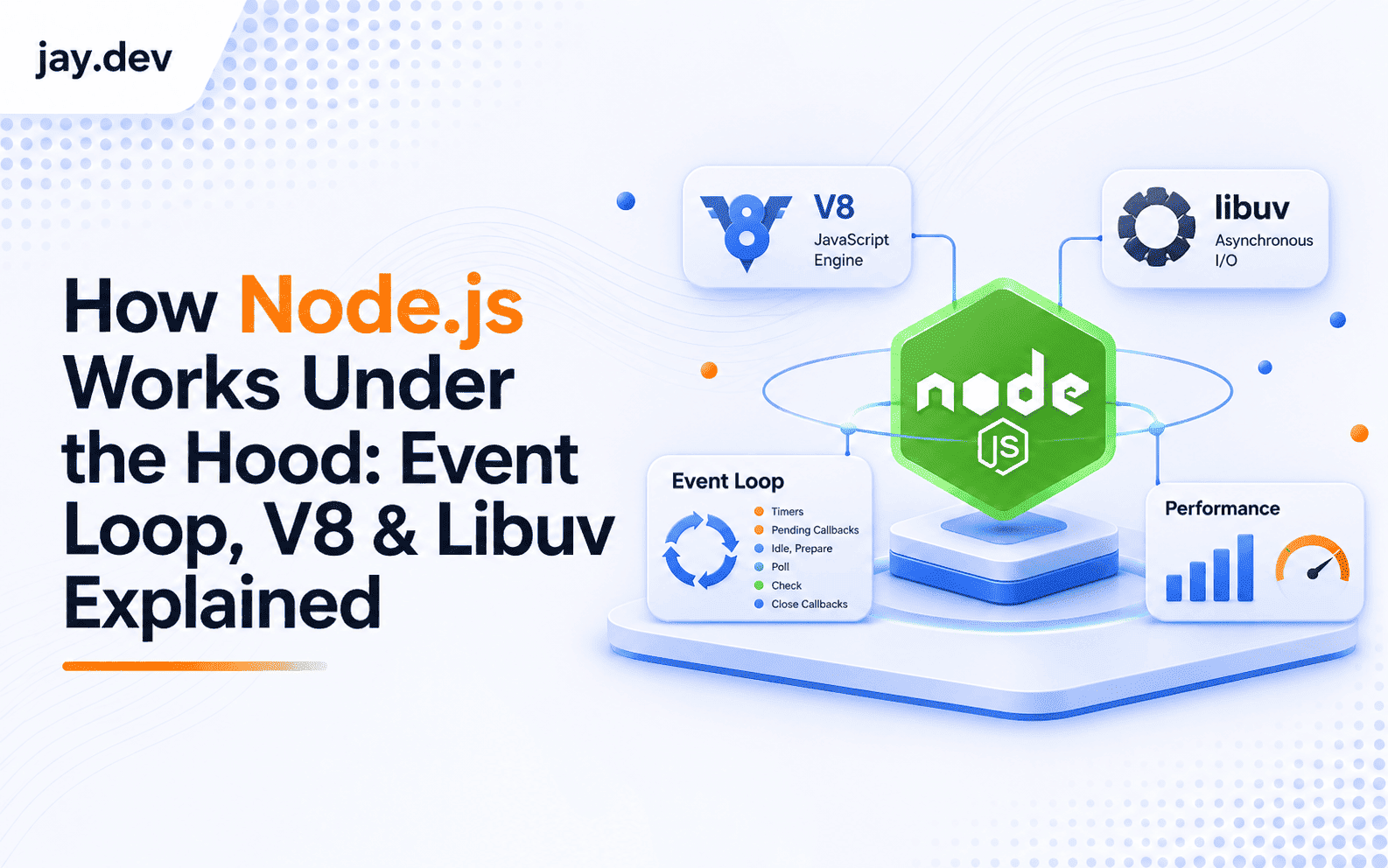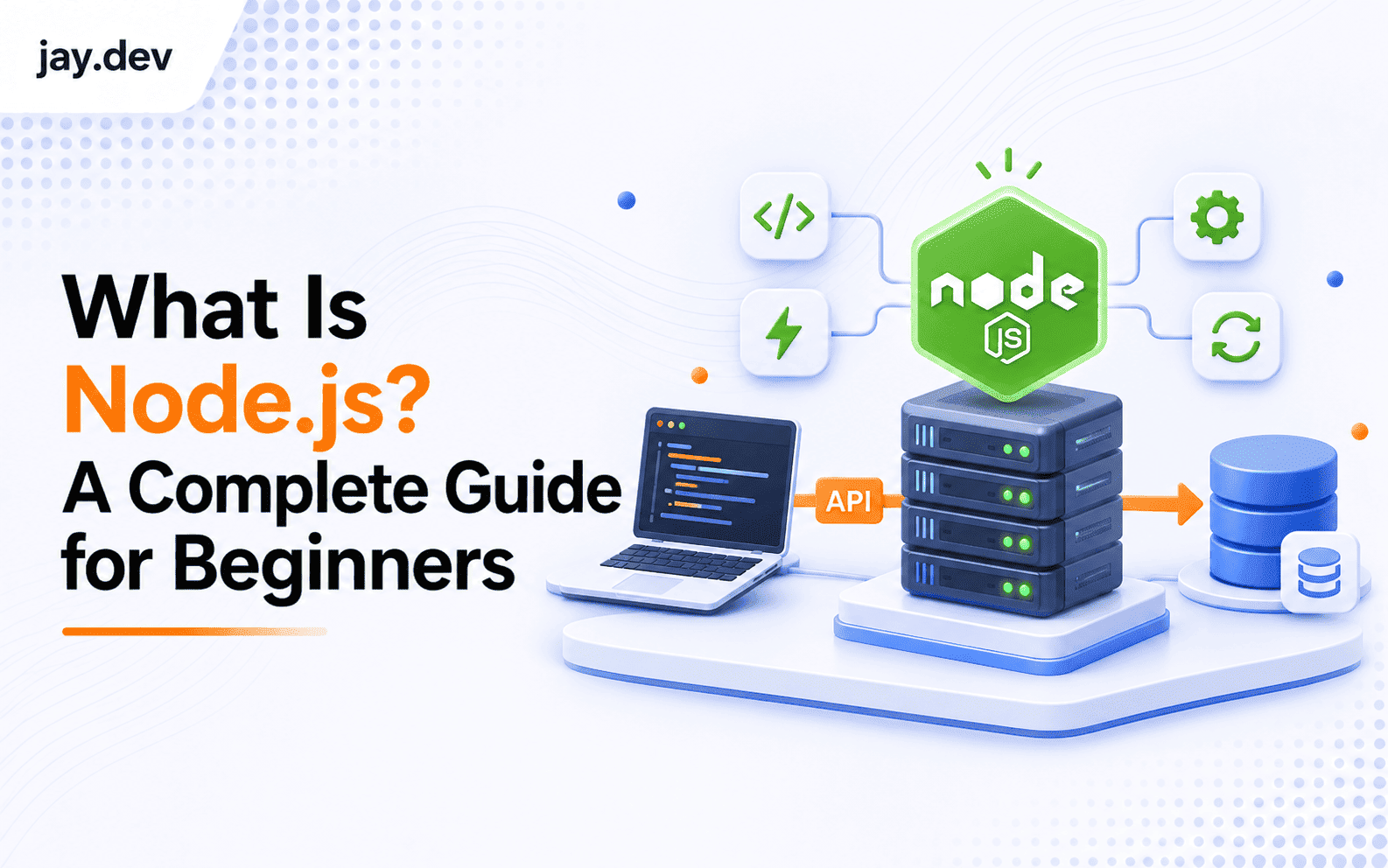
“Learn what Node.js is, how it works, and why developers use it for backend development. Explore its features, architecture, benefits, real-world applications, and follow a step-by-step tutorial to build your first Node.js server.”
If you are new to web development, you have probably seen Node.js everywhere. Job posts mention it. Tutorials assume you already know it. This Node.js introduction is written for people who are just starting out, so I will keep the language plain and the examples small.
If you keep asking what is Node.js, you are in good company. According to the 2025 Stack Overflow Developer Survey, Node.js is used by 48.7% of developers who participated in the survey, highlighting its widespread adoption in the developer community. That made it the most used web technology in the survey. In 2024, the figure was 40.8%. The same survey found that 66% of developers use JavaScript, which is the language Node.js runs.
I work with Node.js on client projects, and it sits among the core web development skills I use most often. This guide covers what I wish someone had explained to me early on. You will learn how it works, what it is good at, where it struggles, and how to build your first server.
48.7%
of developers use Node.js (Stack Overflow Developer Survey 2025)
66%
of developers use JavaScript, the language Node.js runs
What Is Node.js?
Node.js is a free, open-source tool that lets you run JavaScript outside a web browser. Developers use it to build servers, APIs, command line tools and real-time apps with a single language.
What Exactly Is Node.js?
Picture a busy restaurant. A slow waiter takes one order, walks to the kitchen, and stands there until the food is ready. Nobody else gets served. A smart waiter takes an order, hands it to the kitchen, and moves to the next table right away. Node.js works like a smart waiter. That is Node.js explained without the jargon.
Technically, it is a JavaScript runtime built on Chrome's V8 engine, Node.js. Node.js was originally developed by Ryan Dahl in 2009, introducing a new approach to running JavaScript outside the web browser.. Before then, JavaScript mostly lived in browsers.
Is Node.js a Programming Language?
No. This is one of the most common beginner questions and the answer is no. The language is JavaScript. With Node.js, developers can execute JavaScript applications directly on their systems without relying on a web browser. You write JavaScript, and Node.js executes it.
Is Node.js a Framework or Runtime?
It is a runtime. People often ask if Node.js is a framework or runtime because the two words sound alike. Here is the difference. A runtime gives your code a place to run. A framework gives your code a structure to follow. Express.js and NestJS are frameworks that run on top of Node.js.
Is Node.js Frontend or Backend?
Mostly the backend. The Node.js frontend or backend depends on how you look at it. Node.js runs on servers, so it handles backend work such as logins, databases and APIs. Many frontend tools, like bundlers and build scripts, also run on Node.js while you develop. The code that runs inside the browser does not use Node.js.
Can Node.js Run Without a Browser?
It was built for exactly that. Open a terminal, type one command, and your JavaScript runs with no browser in sight. This is what makes Node.js server-side JavaScript possible.
How Does Node.js Work?
In short, Node.js runs your JavaScript with the V8 engine, and handles many tasks at once without waiting around. Three ideas explain most of it.
Node.js Runtime Environment and the V8 Engine
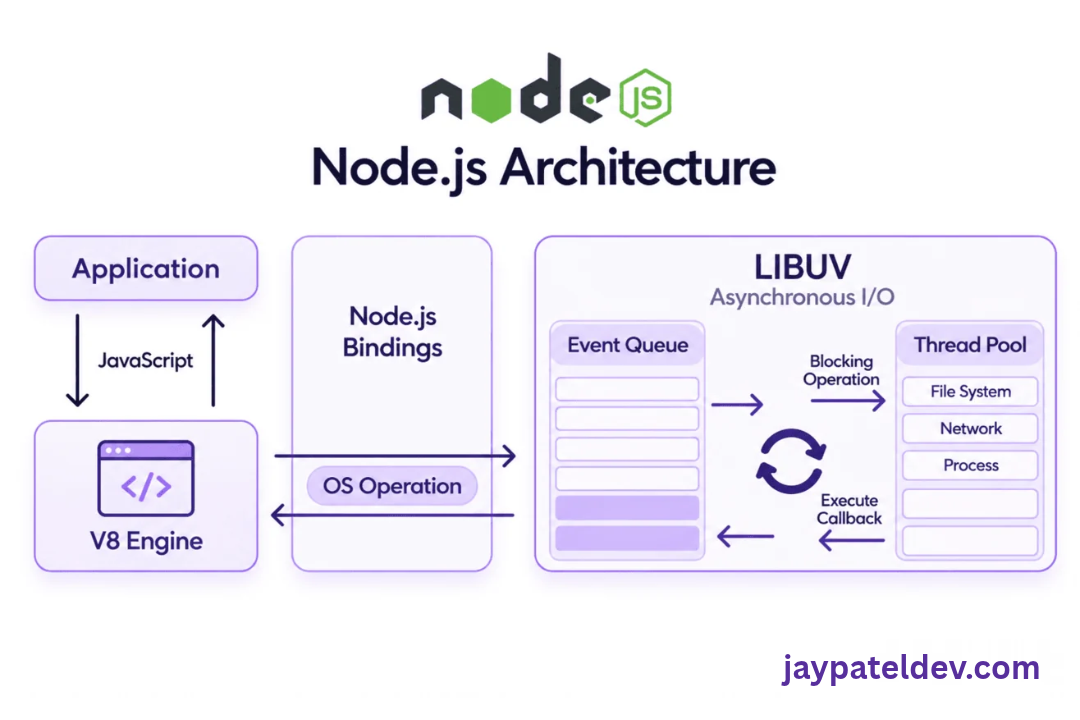
The Node.js runtime environment has three main parts. The V8 engine converts JavaScript code into optimized machine code, allowing it to run efficiently and quickly. Built-in modules give you tools for files, networks and more. A library called libuv handles slow jobs, like reading a file, in the background. Together they let JavaScript act like a full server language.
Node.js Asynchronous Programming and Non-Blocking I/O
Node.js asynchronous programming means your code does not stop and wait for slow tasks. Say you ask a database for a record. Node.js sends the request and keeps working on other things. When the data comes back, a callback, or a promise picks up the result.
This style is called Node.js non-blocking I/O. I/O means input, and output, such as reading a file, or calling another service. Because nothing blocks, one Node.js process can serve many users.
const fs = require('node:fs/promises'); async function readNotes() {try {const text = await fs.readFile('notes.txt', 'utf8');console.log('File content:', text);} catch (error) {console.error('Could not read file:', error.message);}} readNotes(); console.log('This line runs first, while the file is still loading.');What Is the Node.js Event Loop for Beginners?
The Node.js event loop acts as a central coordinator, managing asynchronous operations and ensuring JavaScript can handle multiple tasks efficiently without blocking the main thread. So what is the Node.js event loop for beginners? This is a loop that keeps checking to see if completed work is ready to be returned to your code.
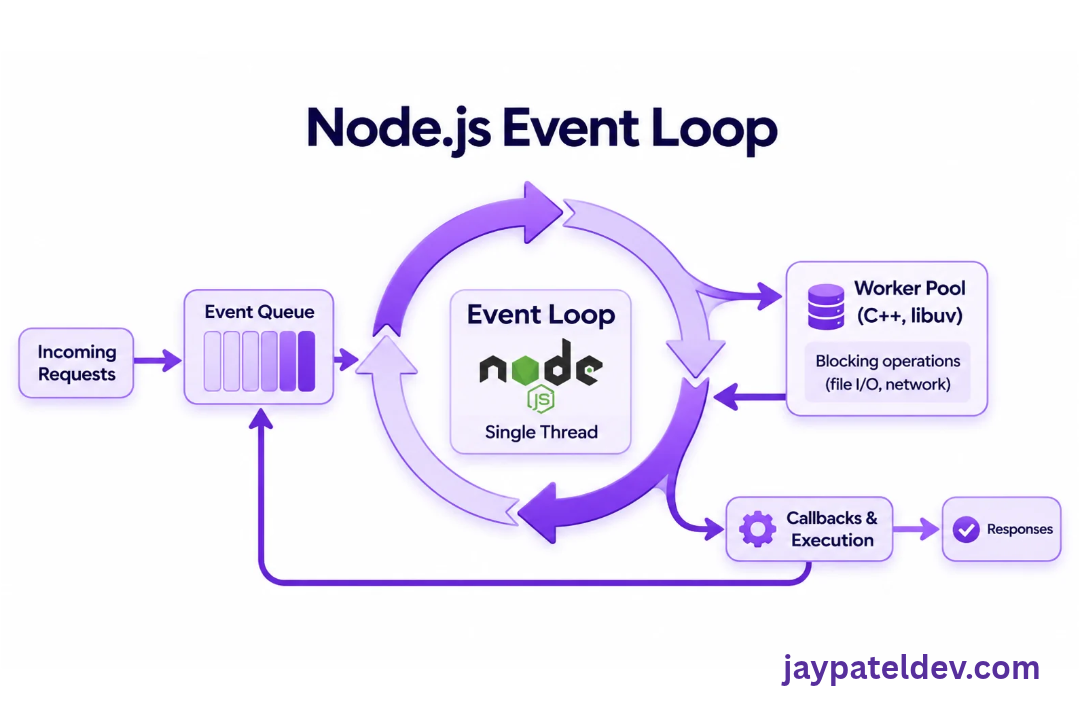
It keeps your app responsive. Your code runs on one main thread. When a slow task finishes, its result waits in a queue. The event loop runs as soon as the main thread is free.
Key Features of Node.js
Here are the main Node.js features that explain its popularity. Each one solves a real problem that developers face when building web servers.
- Event-driven design: Your app reacts to events, such as a new request or a finished file read, instead of following a fixed order.
- Non-blocking I/O: Slow tasks run in the background, so other users are not kept waiting.
- Fast V8 engine: Your code is compiled to machine code, which keeps execution quick.
- Cross-platform support: The same code runs on Windows, macOS and Linux.
- Large package ecosystem: Ready-made packages save time on common tasks like routing, and validation.
- One language everywhere: You can use JavaScript on both the frontend, and the backend.
Node.js Architecture Explained
The Node.js architecture, when broken down into small chunks, is easy to understand. Let's walk through it one piece at a time.
How Does Node.js Work Internally?
The Node.js architecture processes each request through a few well-defined stages. Here is the usual path.
- A request is sent from the client to the server for processing.
- Node.js places the request in the event queue.
- The event loop picks it up, and runs your code on the call stack.
- Slow tasks, such as file reads, go to the worker pool, or the operating system.
- When those tasks finish, the results return to the event queue.
- The event loop runs your callback and sends the response.
Three terms from that list matter most. The call stack holds the function that is running right now. The event queue holds finished tasks waiting for their turn. The worker pool is a small group of background threads that handle heavy jobs such as file access, and encryption.
Does Node.js Support Multiple Users at the Same Time?
Yes. It does, and it is a big reason teams choose it. Requests do not block each other, so one server can keep thousands of connections open. When traffic grows further, you can run several Node.js processes across your CPU cores.
What Is Node.js Used For?
Mostly for work that spends time waiting on networks, and databases. That is exactly where its design pays off.
What Is Node.js Used For in Web Development?
It powers the server side. It handles logins, saves data, serves pages and talks to databases. Many teams pick it for Node.js backend development because they can share code and skills between the frontend and the backend. If you want help planning a server, my backend development service page shows how I approach it.
Can Node.js Be Used for API Development?
Yes. It is one of the most common uses. Is Node.js suitable for building REST APIs? Yes, especially when you pair it with Express.js. A REST API receives a request like "get all posts" and sends back data, usually as JSON. You can see this kind of work in my social media backend API project.
const express = require('express'); const app = express();const PORT = 3000; // Middlewareapp.use(express.json()); // Sample postsconst posts = [ { id: 1, title: 'What Is Node.js?' }, { id: 2, title: 'Node.js vs Python' }]; // GET: Fetch all postsapp.get('/api/posts', (req, res) => { res.json(posts);}); // GET: Fetch a single post by IDapp.get('/api/posts/:id', (req, res) => { const post = posts.find( (item) => item.id === Number(req.params.id) ); if (!post) { return res.status(404).json({ error: 'Post not found' }); } res.json(post);}); // Start the serverapp.listen(PORT, () => { console.log(`API running on http://localhost:${PORT}`);}); If you are still choosing between API styles, my comparison of REST and GraphQL walks through the trade-offs.
What Types of Applications Can You Build With Node.js?
Node.js applications come in many shapes. This list shows the most common types, and each one fits the event-driven style that Node.js handles well.
- REST and GraphQL APIs for web and mobile apps
- Real-time apps, such as chat and live notifications, like this real-time chat application
- Streaming services that send data in small pieces
- Microservices that split a large product into smaller parts
- Command line tools that automate daily tasks
Why Use Node.js for Backend Development?
Teams usually give three reasons: speed, shared skills, and a huge ecosystem. Why is Node.js used for backend development so often by startups? Because small teams can move fast when everyone knows the same language.
What Are the Main Benefits of Node.js?
These benefits come up again and again in real projects. They explain why startups and large companies both rely on Node.js for new products.
- One language across the stack: Node.js is the "N" in the MERN stack, so it pairs naturally with React. That is why MERN stack development is so popular.
- Efficient I/O: It handles many waiting tasks without wasting resources.
- Big ecosystem: Whatever you need, a package probably exists.
- Faster prototypes: Teams building an MVP can reach a working version quickly.
- Active community: Answers to common problems are easy to find.
What Are the Limitations of Node.js?
No tool fits every job, and Node.js has a few weak spots you should know about before you commit.
- CPU-intensive work: Heavy math, image processing, or video encoding can slow the main thread.
- Blocking the event loop: One slow function can hold up every user.
- Dependency risk: Large projects can end up with hundreds of packages to keep updated.
- Security care: You must review packages and keep them patched.
So when might Node.js not be the best choice? If your app is mostly heavy number crunching, a language built for that work may serve you better. For most web servers and APIs, though, Node.js holds up well.
Node.js vs JavaScript, Python, and PHP
Beginners often compare Node.js with other tools. Rather than choosing one as the best, focus on selecting the tool that best matches your project's specific requirements.
What Is the Difference Between Node.js and JavaScript?
JavaScript is the language. JavaScript is the programming language for writing instructions, whereas Node.js offers the runtime environment and system access to run those instructions beyond the browser. Browser JavaScript can change a web page but cannot read files on your computer. Node.js can read files, open network ports and run servers, but it has no web page to change. This summarizes the fundamental difference between Node.js and JavaScript in a simple way.
Node.js vs Python
Node.js vs Python depends on the job. Python is widely used for data science and AI development, whereas Node.js is commonly preferred for building real-time applications and APIs. Python reads very cleanly for beginners. If your goal is web servers with one language across the frontend and backend, Node.js is a natural fit.
Node.js vs PHP
Node.js vs PHP is mostly about style. PHP powers WordPress and is easy to host almost anywhere. Node.js is built for long-running connections, and real-time features. Many new web products choose Node.js because they want a modern JavaScript stack.
The table below sums up the three options side by side.
| Feature | Node.js | Python | PHP |
|---|---|---|---|
| Language | JavaScript | Python | PHP |
| Best for | APIs, real-time apps, streaming | Data science, AI, scripting | Content sites, WordPress |
| Many connections at once | Strong, thanks to non-blocking I/O | Good with async tools | Handled per request by the web server |
| Learning curve | Easy if you know JavaScript | Very gentle | Gentle |
| One language for frontend and backend | Yes | No | No |
What Is the Difference Between Node.js and Express.js?
Node.js is the runtime. Express.js is a lightweight framework that simplifies routing and middleware management in Node.js. Although you can create a server using Node.js alone, doing so generally requires additional coding. For larger projects, many teams look at NestJS too. I compared both in my guide on NestJS vs Express.js.
What Is NPM in Node.js?
Node Package Manager (NPM) helps developers install, organize, and maintain external packages and dependencies used in their Node.js projects. It installs together with Node.js, so you do not need a separate setup.
Every project keeps a file called package.json. It lists the packages your app needs. Two commands cover most beginner needs.
npm init -ynpm install expressThe first command creates your package.json file. The second one adds Express.js to your project.
How to Install Node.js on Windows
The Node.js installation process takes about five minutes. These steps cover how to install Node.js on Windows and check that it works.
- Visit the official Node.js website.
- Download the LTS version. LTS means long-term support, so it stays stable and gets security fixes.
- Launch the installation file and proceed with the recommended default settings to complete the setup.
- Open Command Prompt, or PowerShell.
- Type node -v and press Enter. Then type npm -v. Both should print a version number.
On macOS and Linux, the official installer or a version manager works well too.
Node.js Tutorial for Beginners: Build Your First Server
This Node.js tutorial for beginners builds a small Node.js HTTP server in about ten lines. Writing it yourself is the fastest way to get started with Node.js programming, because you see the result right away.
How to Create a Server Using Node.js
Starts with a new folder and a file named server.js. Paste this code into that file.
const http = require('node:http'); const PORT = 3000; // Create HTTP serverconst server = http.createServer((req, res) => { // Set response headers res.writeHead(200, { 'Content-Type': 'text/plain' }); // Send response res.end('Hello from Node.js!');}); // Start the serverserver.listen(PORT, () => { console.log(`Server running on port ${PORT}`);}); Here is what each part does. The createServer() function builds a server that runs your code for every request. The req object holds what the visitor sent, and res is how you reply. The listen() call tells the server to wait for visitors on port 3000.
How to Run a Node.js Application
Follow the steps and your message should appear in the browser quickly.
- Open a terminal in the folder that holds server.js.
- Run node server.js.
- Visit http://localhost:3000 in your browser.
- Read the message on the page.
- Press Ctrl + C in the terminal when you want to stop the server.
Congratulations. You just built and ran your first server.
Is Node.js Good for Beginners?
Yes, as long as you learn JavaScript basics first. The tools are free, the community is huge, and you get results fast. Trying to learn everything at once is the real trap I see new developers fall into.
A clear learning path keeps Node.js for beginners from feeling overwhelming. Follow these steps in order, and avoid jumping into advanced topics too early.
- Learn JavaScript basics, including functions, promises, and async/await.
- Understand how HTTP, requests, and responses work.
- Practice with small Node.js scripts.
- Learn Express.js and build a simple REST API.
- Connect your API to a database.
- Combine everything into a complete project.
When you are ready to ship a complete product, full stack development ties the frontend, backend, and database together.
Conclusion
Node.js brought JavaScript to server-side development, transforming the way many development teams create and manage web applications. It is fast with waiting tasks, easy to start with, and backed by a huge community. It is not perfect for heavy computation, but it fits most web apps and APIs very well.
The best next step is simple. Install it, run the server from this guide, and change the message. Then try adding a second route. Small experiments teach more than any long article.
Frequently Asked Questions About Node.js
Topics
- #Node.js
- #JavaScript
- #Express
- #Backend Development
- #Node.js Architecture
- #Node.js for Beginners